
Getting Started in Burger Shift: Team Rush
Host a lobby, stay on Trainee, order stock, cook one burger, empty the bins, and close the day.
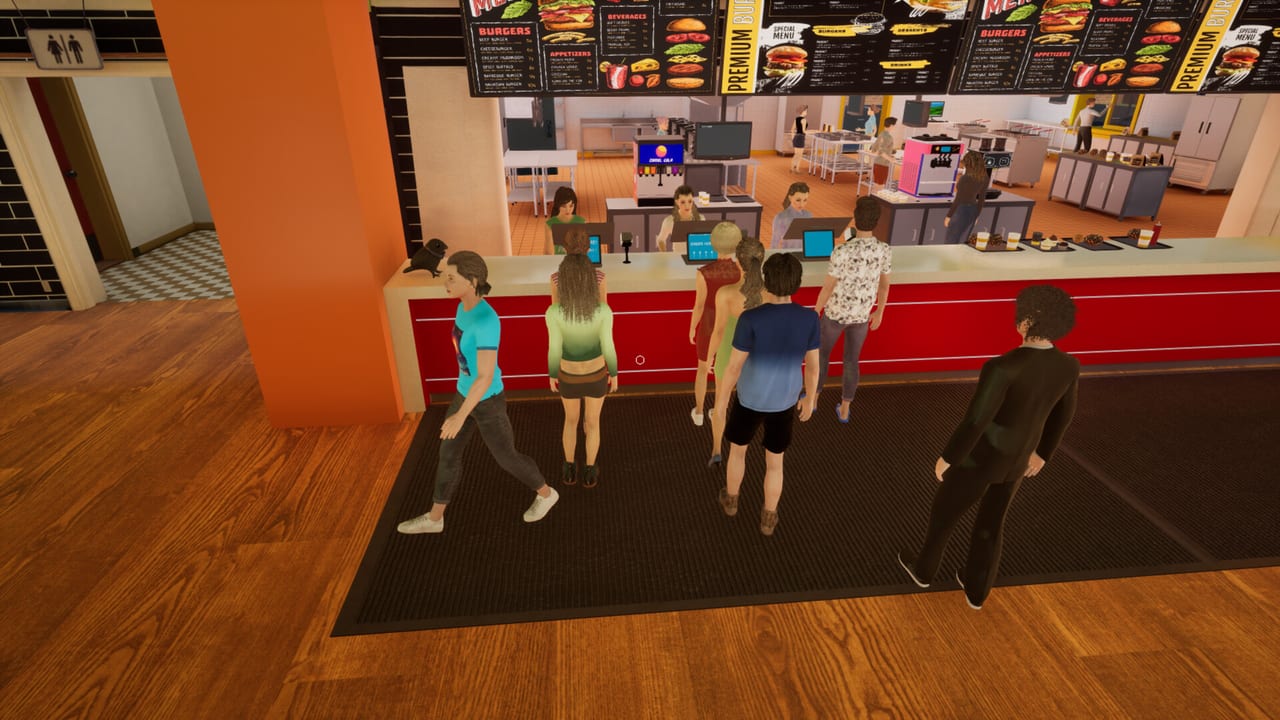
Burger Shift: Team Rush entered Early Access on 11 September 2026. Nova Telum Studio ships it as a Windows Steam title (app 3804930), priced at $14.99 with a 10% intro offer until 25 September 2026. You can run a shift alone or with one to eight players over online co-op or LAN co-op. This page is the first-hour loop: lobby, Trainee, a market order, one complete burger, a served ticket, empty bins, and the end-of-day upgrade screen.
The free Prologue (app 3821150, 22 October 2025) and the older demo (app 4251300) are separate apps. They teach the same first-person kitchen, but hiring NPC employees, the fryer, ice cream / soft-serve, takeaway, and a complete Drive-Thru belong to the full Early Access feature set. If you bounced off the Prologue, treat this page as the same loop with a larger shop attached.
Before you clock in
Minimum spec is Windows 10 64-bit, an i5-4690 or FX-8350, 8 GB RAM, a GTX 1050 or RX 570 4 GB, DirectX 11, and 10 GB of disk. Recommended is an i7-8700K or Ryzen 5 3600, 16 GB RAM, an RTX 3060 or RX 6700 8 GB, and DirectX 12. Steam Deck support is not confirmed. This is not a mobile game and not a Roblox experience.
Open the character creator before you stress about tickets. You can change hair, head, torso, hands, legs, and shoes. Name tags from the Burger Flow Prologue update (7 November 2025) make it easier to shout a station at a person instead of a colour. Full input details live on Controls; public footage confirms mouse-click interact and right-click to open packages or take-all from stacks. Check the in-game settings for the rest of the map.
Host a session or join through the in-game lobby. Voice chat and text chat are built in. The host can kick from the pause menu, which also shows players, ping, day, and difficulty. If you are learning alone, stay solo. If friends are dropping in, read the Co-op Guide before you fill eight seats.
Pick Trainee on purpose
Difficulty is not a flavour label. Trainee doubles customer patience. Supervisor sends about 10% more customers. Manager sends about 35% more. Faster, cleaner service still pays extra tips on every setting. Perfect orders get extra-happy voice lines; mid quality gets a that’s-fine reaction. For the first hour, Trainee is the correct classroom. You want time to look at a receipt, not a walkout before the patty is flipped.
Supervisor and Manager are for crews that already know who owns grill, wrap, drinks, and runner. Park those plans on the shift planner after this first day, not during it.
Order stock before you cook
The market computer orders supplies: patties, buns, and wrapping at minimum. Place that order as soon as you can move. Deliveries arrive at the back of the shop, where screenshots show a truck and dumpsters. Do not start a rush with an empty cooler and a heroic attitude. If the walk-in looks bare, you are already late.
Right-click opens patty packages and can take-all from stacks. Carry what you need to the flat top. The Dumpster Duty Prologue update (3 December 2025) also taught a stacking rule you will use all shift: you can grab a whole stack, merge stacks, or place a single item from a held stack. Use the single-place move when you only want one bun on the board.
Cook one burger, then serve it
Ignore the full menu until one ticket is perfect. Place a patty on the flat top. Use the spatula to flip around 85–90% doneness so the second side finishes near 100%. Cook both sides. Carry the cooked patty to assembly. Add the fillings the receipt asks for — public shots show lettuce, tomato, onion, pickles, and sauces — then wrap. If the wrap looks wrong, unwrap and fix it. Burger Flow added unwrap / re-wrap, multi-carry for small fillings, receipt hover previews, and an inspection panel that shows Prep Pan contents. Hover the receipt before you guess.
Serve the finished burger. Watch the patience alert if one appears: it names the customer, the table, and time left. That alert is your real timer, not the music. The long version of timing, toppings, and inspection is How to Cook Burgers. Station routing for when a second player arrives is Kitchen Stations.
Empty the bins and close the day
Bins fill. If you ignore them, the kitchen clogs while you are still proud of the wrap. Empty bins as part of the first-hour checklist, not as a panic at the door. Dumpster Duty made this a real chore and tied extra tips to speed. Treat trash like a station, not like scenery.
When the shift ends, spend cash from service and tips on upgrades: kitchen gear, staff, recipes, and trinkets. Do not hire a fantasy skill tree you have not seen. NPC employees in the Early Access build keep tables clean and ingredients stocked; hiring was locked in the Prologue and demo. Details live on the Employees Guide. Drive-Thru and takeaway packing wait until you can already feed the dining room; that lane has its own Drive-Thru Guide.
First-hour checklist
- Launch the Early Access build on Windows Steam and finish a look in the character creator.
- Host or join the in-game lobby. Stay on Trainee.
- Order patties, buns, and wrapping from the market computer and meet the delivery at the back.
- Right-click a patty pack open, cook both sides with an 85–90% flip, assemble, wrap, and serve one ticket.
- Hover the next receipt, check a Prep Pan if you are unsure, and empty bins before they overflow.
- Close the day and buy one upgrade you felt, not four you theoretically want.
Twenty Steam achievements exist in the catalog, with names such as First Bite, Full Shift, and Five-Star Service. This page does not invent unlock rules for them. If you want a ranked view of who should stand where after this first hour, open the role tier list and the Players Hub. Official store and community destinations are on Links. Come back to this checklist the first time a friend hosts and you forget that stock, bins, and Trainee matter more than a stylish Manager run.
Frequently Asked Questions
Quick answers to the most common kitchen questions.
Should I start on Supervisor or Manager?
No. Trainee doubles customer patience and is the right first-hour setting, even in a full lobby. Move up only after wrap, bins, and drinks feel automatic. See the Co-op Guide for solo versus squad pacing.
What is the first thing I should buy or order?
Order patties, buns, and wrapping from the market computer before you cook. Deliveries arrive at the back. After the shift, spend cash on the upgrade that actually blocked you, then read Kitchen Stations before you hire people.
Is the Prologue the same as the Early Access build?
Same loop, smaller feature set. The Prologue is Steam app 3821150 (22 October 2025). Fryer, ice cream, complete Drive-Thru, takeaway, and hireable employees belong to the full Early Access kitchen. Patch context is on Updates.
Where do I learn the actual buttons?
Open Controls. Confirmed moves are click to interact, right-click to open or take-all, receipt hover, and the pause menu. The full bind list is in the in-game settings, not on a wiki table.
Can I play this on a phone or Steam Deck?
It is a Windows Steam game, not a mobile title. Steam Deck support is not confirmed. System requirements and the first-hour loop on this page assume a PC install.
What should I read after my first closed day?
Go to How to Cook Burgers for flip timing, then Kitchen Stations if a second player is joining. Pack the Drive-Thru Guide only after dining-room tickets are stable.