
Burger Shift: Team Rush Kitchen tools for the rush
Coverage tables and a confirmed-menu checklist you can open before the lobby fills.
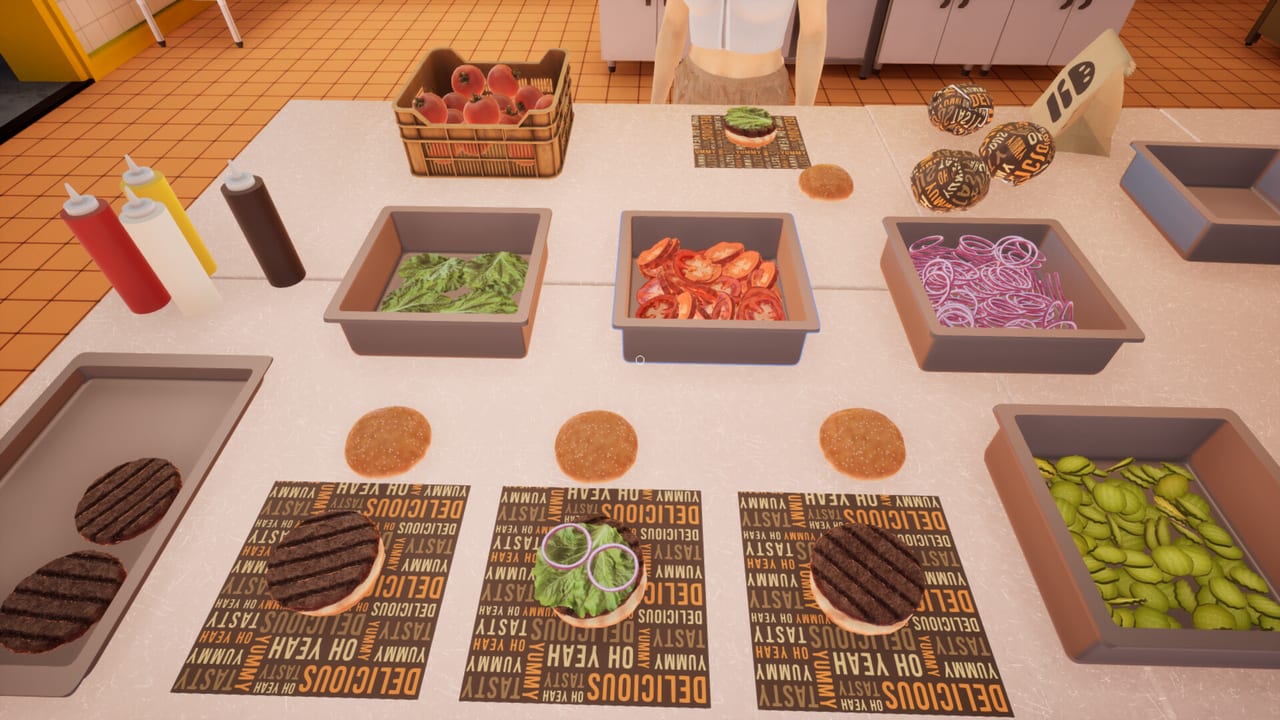
Guides teach the job. These tools are the paper you put on the counter before the day starts. Burger Shift: Team Rush is a first-person kitchen you can run solo or with up to eight people on online or LAN, so the same restaurant plays like three different games depending on headcount. The Shift Planner answers who stands where. The Recipe Checklist answers what actually goes on a ticket. Use both before you argue about who is “on grill.”
This hub does not replace getting started or the co-op guide. It assumes you already know that patties cook on both sides, that wraps can be opened again after Burger Flow, and that dumpsters fill. If those sentences are new, read the Prologue Patch Notes first.
Shift Planner
Open the Shift Planner when you are about to host. It breaks coverage into 1-player, 2-player, 4-player, and 8-player layouts, then changes the advice for Trainee versus Manager. Trainee doubles customer patience, which is how a solo cook learns unwrap and bins. Manager adds about 35% more customers, which is how a four-stack discovers they never assigned trash.
The planner also tells you where to park an NPC employee once Early Access hiring is in play. Store copy frames employees as table cleaners and ingredient stockers, not as a second flat-top. If you drop an NPC on grill, you have misunderstood the tool.
Pair the tables with the role tier list and the crew roles page. The tier list is opinion about which jobs leak first. The planner is the seating chart. Do not run one without the other in a public lobby.
Recipe Checklist
Open the Recipe Checklist when someone asks for a secret menu. There isn’t one published. Confirmed food is ordinary on purpose: bun, patty cooked on both sides, lettuce, tomato, onion, pickles, sauces, wrap; soda and coffee; Prologue baked goods; Early Access fries, nuggets, and ice cream. The checklist is assembly order and ticket discipline, not cook-second folklore.
Use it next to how to cook burgers and kitchen stations. When a drive-thru ticket wants a bag instead of a tray, the ingredients do not change — the handoff does. When the upgrade tier list tells you to buy a station first, check that your crew can already plate the food that station sells.
How to use the two tools together
A useful pre-shift takes five minutes.
- Count humans. If you are under four and you can hire, plan an NPC on dining restock and trash.
- Fill the planner row for your party size. Say the jobs out loud in voice or text chat.
- Set Trainee, Supervisor, or Manager on purpose. Supervisor is about 10% more customers; it is not a cosmetic label.
- Open the checklist once so extras (onion versus pickle, ice in soda, wrap last) are shared vocabulary.
- Only then open character customization. Cosmetics do not flip patties.
If a rush collapses, do not rewrite the whole tier list. Ask two questions: did a station lack a body, or did a ticket lack an ingredient? The first is a planner miss. The second is a checklist miss. Most public lobbies fail the first way because three people chase burgers and nobody owns drinks or the window.
What these tools will not do
They will not invent exact grill seconds. They will not publish a Trello. They will not list promo codes. They will not treat Steam app 4882060 as a recipe pack — that listing is a Playtest. They will not assume Early Access systems from 11 September 2026 deleted Prologue habits. Wraps still unwrap. Bins still fill. Patience still scales with difficulty.
For the date, price, and promised stations, use Full Game Notes. For official storefronts, use the Links Hub. For people, uniforms, and who should talk, stay in Players and co-op. Come back here when the lobby is in the menu and you still have time to assign a dumpster.
Frequently Asked Questions
Quick answers to the most common kitchen questions.
What is the Shift Planner for?
Party-size coverage: who owns grill, assembly, drinks, fryer, dining, trash, and drive-thru in 1, 2, 4, and 8 player lobbies, including where to park an NPC.
What is the Recipe Checklist for?
Confirmed menu items and assembly order. No secret recipes and no made-up cook timers. Open Recipe Checklist next to the burger guide.
Should I use these tools before the co-op guide?
Read getting started once, then use co-op for lobby rules and this hub for the seating chart and the ticket list.
Do the tools change on Manager?
Yes. Trainee doubles patience so a small crew can float. Manager adds about 35% more customers, so trash, drinks, and the window need owners. Details are on the Shift Planner.
Where do roles and upgrades fit?
Use the role tier list to pick which jobs matter, then lock them on the planner. Spend cash with the upgrade tier list after the food is consistent.